
Tips for Setting Healthy Boundaries with Notifications
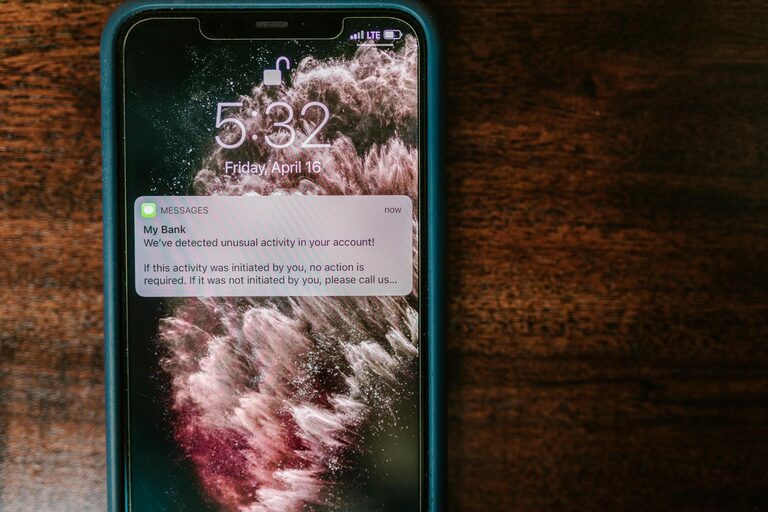
In today’s hyperconnected world, notifications are everywhere—from your smartphone to your computer and even your smartwatch. While they help keep us informed, constant alerts can quickly become overwhelming, interrupting our focus and increasing stress levels. Setting boundaries with notifications is essential for maintaining productivity, mental clarity, and work-life balance. In this post, we’ll explore practical tips to manage your notifications effectively and reclaim control over your digital environment.
Why Setting Boundaries with Notifications Matters
Continuous notifications can fragment your attention, making it harder to complete tasks and lowering overall efficiency. Studies show that multitasking and frequent interruptions reduce productivity and increase mental fatigue. By managing your notifications, you create space for deeper focus, reduce stress, and improve your overall wellbeing.
1. Audit Your Notifications
The first step to setting boundaries is understanding what notifications you currently receive.
– Review all your devices: Check your phone, computer, tablet, and any other devices for active notifications.
– Categorize notifications: Group them into important (urgent work emails, calendar reminders) and non-essential (social media likes, promotional messages).
– Unsubscribe or disable: Remove or mute notifications that don’t add value to your day.
This audit helps you identify distractions and decide which alerts truly deserve your attention.
2. Use Built-In Notification Controls
Most devices have built-in tools to customize your notification experience.
Do Not Disturb Mode
– Schedule Do Not Disturb during focused work hours or nighttime.
– Customize who can still reach you (e.g., family or urgent contacts).
Notification Settings
– Turn off non-essential notifications for apps.
– Enable “silent” or “badge-only” modes to reduce noise without losing track of alerts.
By adjusting these settings, you create a quieter digital workspace that supports concentration.
3. Set Specific Times to Check Notifications
Constantly checking your device each time a notification arrives can disrupt your workflow.
– Batch checking: Set specific times during your day for checking emails and messages (e.g., morning, midday, and late afternoon).
– Use timers or alarms: Remind yourself to check notifications at these predetermined intervals.
– Inform others: Let colleagues and friends know when you’re available to respond, so they adjust expectations accordingly.
This habit reduces interruptions and frees up more time for focused work.
4. Prioritize Notifications by Importance
Not all notifications are equal. Prioritizing helps you respond appropriately without being overwhelmed.
– Use VIP lists: Many email apps allow you to set VIP contacts whose emails generate alerts.
– Enable priority notifications: Some smartphones let you flag important apps or contacts to override Do Not Disturb.
– Customize app notifications: Adjust permissions based on urgency—e.g., emergency alerts on, social media off.
Prioritization ensures critical information reaches you promptly without drowning in less important updates.
5. Create a Distraction-Free Environment
Notifications are one part of a broader focus strategy.
– Turn off visual distractions: Hide notification banners and badges that can draw your eye.
– Use headphones or ambient sound: Block out background noise that makes it more tempting to check your device.
– Set workspace rules: Keep your phone out of sight or on silent when working.
Combining these tactics with notification boundaries helps build a productive space.
6. Use Third-Party Apps for Deeper Control
Several apps help you manage notifications beyond default device settings.
– Focus apps: Tools like Forest or Focus@Will aid concentration by limiting incoming notifications.
– Notification management apps: Apps such as Daywise deliver notifications in batches, reducing constant interruptions.
– Automations: Platforms like IFTTT can mute notifications based on time or location.
Choosing tools suited to your habits can enhance your notification management strategy.
7. Regularly Reassess Your Notification Settings
Digital habits and priorities change, so it’s important to review your notification settings regularly.
– Set reminders every few months to reassess which notifications you receive.
– Adjust based on changes in your work, social life, or technology use.
– Stay mindful of new apps that may add unnecessary alerts.
Ongoing tweaks ensure your notification boundaries remain effective and relevant.
Conclusion
Notifications, while convenient, can easily disrupt focus and increase stress if left unmanaged. By auditing your alerts, customizing settings, batching your responses, prioritizing important messages, creating distraction-free spaces, leveraging third-party tools, and regularly reassessing your approach, you can set healthy boundaries that improve your productivity and wellbeing.
Taking control of your notifications is a simple yet powerful step towards a more balanced digital life. Start today to enjoy less interruption and more meaningful connection with your tasks and people around you.
—
We hope these tips help you find a better balance with your notifications. If you have other strategies that work well for you, feel free to share them in the comments!